
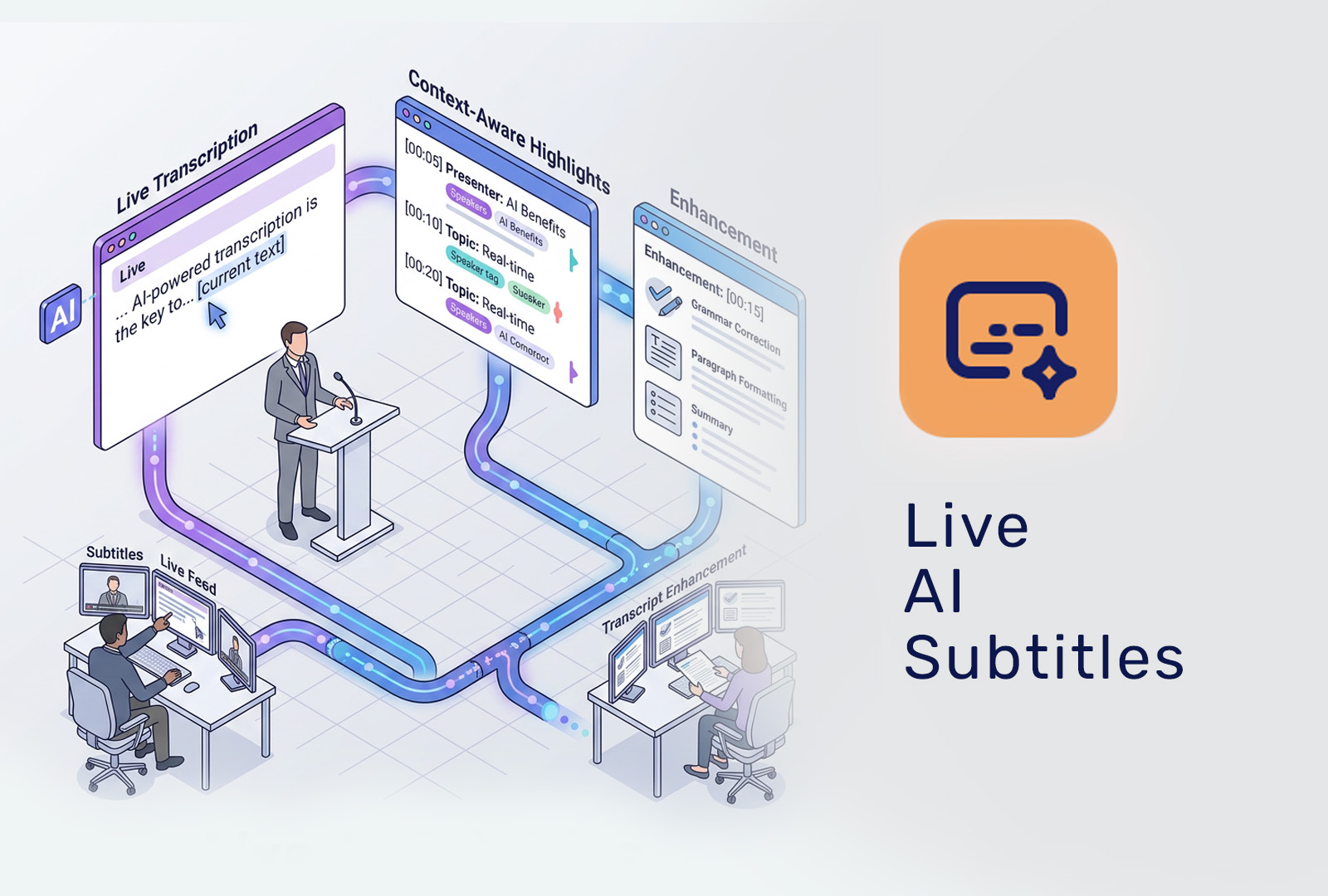
With Live AI Subtitles, the OnlineWebinar.com platform converts spoken audio during webinars and live streams instantly into clear, readable captions. Powered by an advanced AI language model, participants can follow every session effortlessly, even without sound or when content becomes complex.
How Live AI Subtitles work
Real-time speech recognition
Audio from one or multiple speakers is continuously analyzed by an AI model trained to recognize human speech across different accents, speaking speeds, and styles.
Context-aware transcription
Unlike traditional speech-to-text systems, the language model understands context and sentence structure, resulting in fewer errors when handling terminology, names, and longer explanations.
Instantly visible for participants
Subtitles appear live within the webinar interface with minimal delay. Participants can easily toggle subtitles on or off, based on their personal preference.
Note: real-time subtitles are always an interpretation of live speech. For maximum accuracy, a refined transcript can be generated after the event using the full recording.
Language support & translation
- Support for converting spoken language into live subtitles
- Suitable for international and multilingual audiences (depending on language settings)
Accessibility & inclusion
Live AI Subtitles improve accessibility for:
- Participants with hearing impairments
- Viewers in noisy environments
- Non-native speakers
- Organizations aiming to comply with widely used WCAG accessibility guidelines
This ensures your webinars are inclusive by design.
Additional capabilities
- Post-event transcript enhancement
After the webinar, the AI can reprocess the full recording to generate a more accurate transcript. - Downloadable text files
Transcripts can be exported for documentation, content creation, or compliance purposes. - Edit & reuse for on-demand
Improve the transcript manually and re-upload it to power perfectly captioned on-demand webinars.
Value for organizers
- Increased engagement and comprehension
- A more professional experience without interpreters or manual captioning
- Additional reusable content from a single webinar

Features
ACCESS & PARTICIPATION
Browser-based access
Participants and presenters join straight from their browser, no installation, no account, no plugin. See how browser-based webinars work.
Works on any device
Full functionality on desktop, tablet and smartphone, for hosts and attendees alike.
Connection tester
Attendees check their connection before the broadcast starts, so nobody drops out at minute one. Try the live connection tester
Pre-show waiting screen
Show a branded welcome screen or video before the broadcast begins.
Public webinar overview
Let visitors browse upcoming and available webinars before they log in or register.
SUPPORT
24/7 support via WhatsApp
Reach a real person directly on WhatsApp, day or night, with response times measured in minutes — not tickets, not a queue, not a chatbot.
Dutch and English speaking team
Support and customer service in both languages, from people who have run webinars themselves.
WEBINAR FORMATS
Live webinars
Run interactive, real-time sessions with chat, polls and Q&A. See how live and on-demand interactivity keeps working after the stream ends.
On-demand webinars
Make successful webinars available to watch anytime, with polls and surveys that stay active, not a passive recording.
Hybrid and studio productions
Combine a physical audience with an online broadcast, or broadcast from a professional studio.
INTERACTION & ENGAGEMENT
Live chat
Real-time conversation between attendees and hosts throughout the broadcast.
On-demand chat
Optional chat for on-demand viewers, messages are forwarded straight to the organiser by email, so questions still reach you long after the live stream.
Moderated Q&A
Collect, filter and prioritise questions before they reach the presenter.
Polls and quizzes
Engage your audience live, and keep the polls running in the on-demand version, with live and on-demand responses tracked separately. See what user insights reveal.
Surveys
Collect structured feedback after the webinar ends, live or on-demand.
LEARNING & CERTIFICATION
Knowledge assessment
Test what participants actually learned after a webinar, with optional retakes and scores that count toward a final result. See how our eLearning
webinar platform with assessment makes learning measurable.
Attendance duration tracking
Track how long each participant was genuinely online, so attendance can be substantiated with data rather than assumed.
Continuing education points
Award points for participation, assessment results and attendance duration, relevant for sectors with mandatory continuing education.
GOVERNANCE & VOTING
Weighted voting
Upload a shareholder list with share counts and votes are weighted automatically, reflecting actual holdings, not a simple headcount. See how
we support shareholder meetings.
PRESENTATION & PRODUCTION
Slide controller
Change slides from a separate controller so the presenter can focus on the story. Part of our intuitive webinar workflow.
On-demand editor
Edit recordings inside the platform, cut sections, reorder slides, or replace the video entirely. No external tools. See the on-demand editor.
Live transcription
Automatically transcribe your live broadcast; the transcript carries through
to the recording.
Multilingual subtitles
Add subtitle tracks in multiple languages to recordings and on-demand webinars. Read more about live AI subtitles
RTMP and SRT streaming
Stream professionally from external software such as OBS or vMix straight into the platform.
Streaming quality up to 8K
Broadcast-grade video with minimal latency, in HD, 4K or up to 8K.
BRANDING
Full white label
Remove all OnlineWebinar branding for a completely private-label environment. See what a white-label webinar environment includes.
Custom domain
Run webinars on your own domain for a fully branded experience.
Email from your own domain
Send all webinar-related email from your own domain, not ours.
MARKETING & AUTOMATION
Invitations and reminders
Automate pre-event invitations and reminders to lift attendance.
Conditional follow-up emails
Trigger follow-up emails based on watch time, poll or assessment scores, and survey answers, so the message matches what each attendee actually did.
Bulk email
Send at volume through a provider such as Sendgrid.
API access
Full API for custom integrations and automation. Built on continuous integration
ANALYTICS & REPORTING
Live statistics
Monitor attendance, engagement and interaction as the broadcast happens. See what user insights, live and on-demand reveal about your audience.
Participant data export
Export detailed attendance, poll and engagement data. See the performance metrics per broadcast.
SECURITY & ACCESS CONTROL
Domain whitelisting
Restrict registration and viewing to approved email domains or a pre-approved participant list, built originally for a client running shareholder meetings.
Dedicated environment
Not shared infrastructure, but a dedicated environment per client. See what a dedicated webinar environment means for reliability, security and branding.
Container setup
very white-label environment runs isolated, with its own database and its own Kubernetes namespace. See how we combine brand control, data separation and scalability.
GDPR compliance
100% EU hosting, a dedicated environment per client, and a data processing agreement on request. See how OnlineWebinar meets GDPR requirements